Welcome to St Matthews! We are excited to have you and your child join our school
community.
Our commitment is to make it easy for you to stay connected and involved in your child’s
education, so we would like to introduce you to an essential tool: BCE Connect.
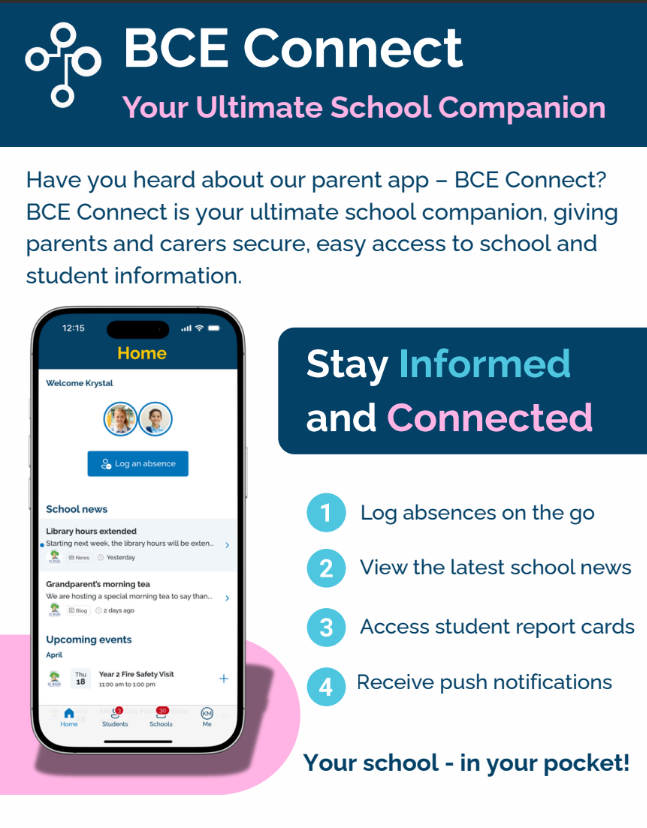
BCE Connect
BCE Connect is your go-to platform for all things school-related, keeping you connected with our
school community and providing easy access to important school information.
While BCE Connect can be accessed on the web, we are proudly mobile-first and encourage
families to use the app for the best experience. The mobile app offers secure biometric login
(such as Face ID or fingerprint authentication) and real-time push notifications, helping you stay
up to date with important school information as soon as it is available.
With BCE Connect, you can:
• Receive real-time notifications about important school updates.
• Access the school calendar for upcoming events and key dates.
• View school newsletters and important documents.
• Easily log student absences.
• Update your contact details.
• Access key information about your child’s learning, reports and school activities.
Ready to get started?
We recommend downloading the BCE Connect app for the best experience:
• Apple App Store
• Google Play Store
Alternatively, you can access BCE Connect via a web browser at:
https://bceconnect.bne.catholic.edu.au
Accessing BCE Connect?
To set up your BCE Connect access for the first time, please follow the steps outlined in the New
User Guide, which walks you through everything you need to get started.
If you have previously accessed BCE Connect, there is no need to complete the First Time Login
process again. Simply select Login and use your existing account details to access BCE Connect.
If you need assistance setting up or accessing your BCE Connect account, please contact our
school office. We'll be happy to help.
Please note: Access to BCE Connect is granted in mid-January once your child's enrolment has
been accepted. This gives you time to explore the platform and become familiar with its features
before the start of Term 1.
We're here to help
For a complete guide to getting started, answers to common questions, and troubleshooting
support, please visit our Parent Engagement & BCE Connect page.
Thank you, and we look forward to a fantastic and engaging school year ahead